Everyone knows it: you open a website, and before you see anything, a box slides in front of it. "We use cookies." You look for the button that makes it disappear fastest and click. Nobody has read the text.
When I built my own site, I wanted to do it differently. If a notice has to appear, then let it be one you stay with for a moment.
A cookie that jumps
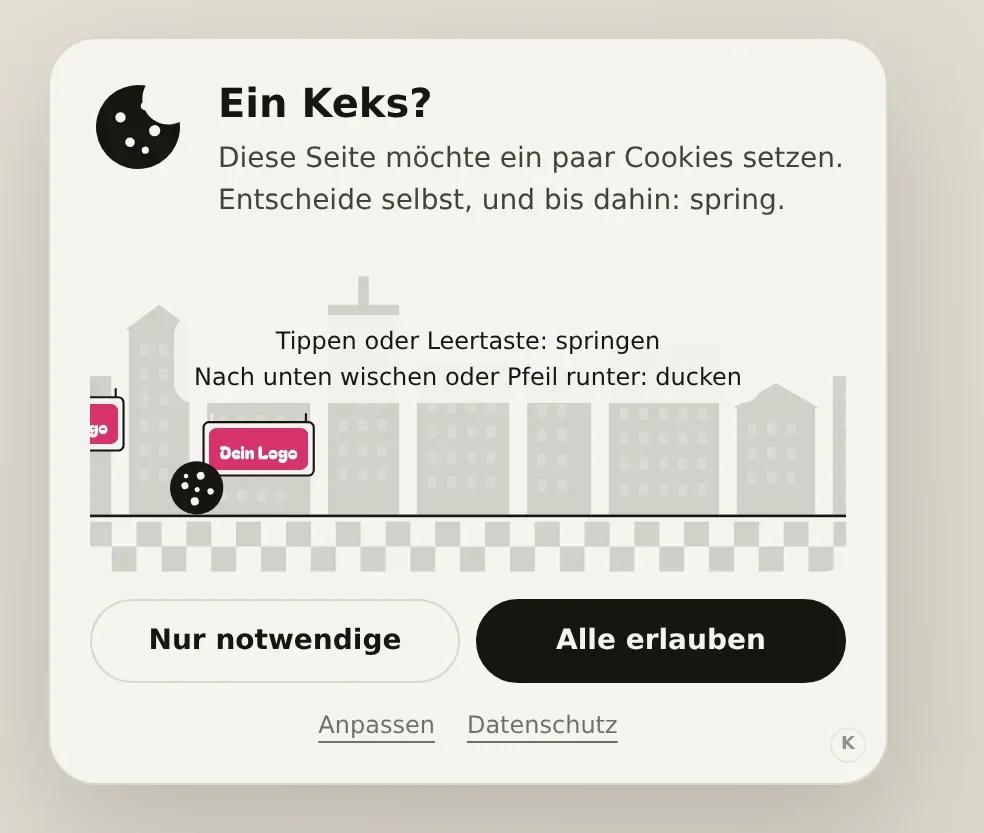
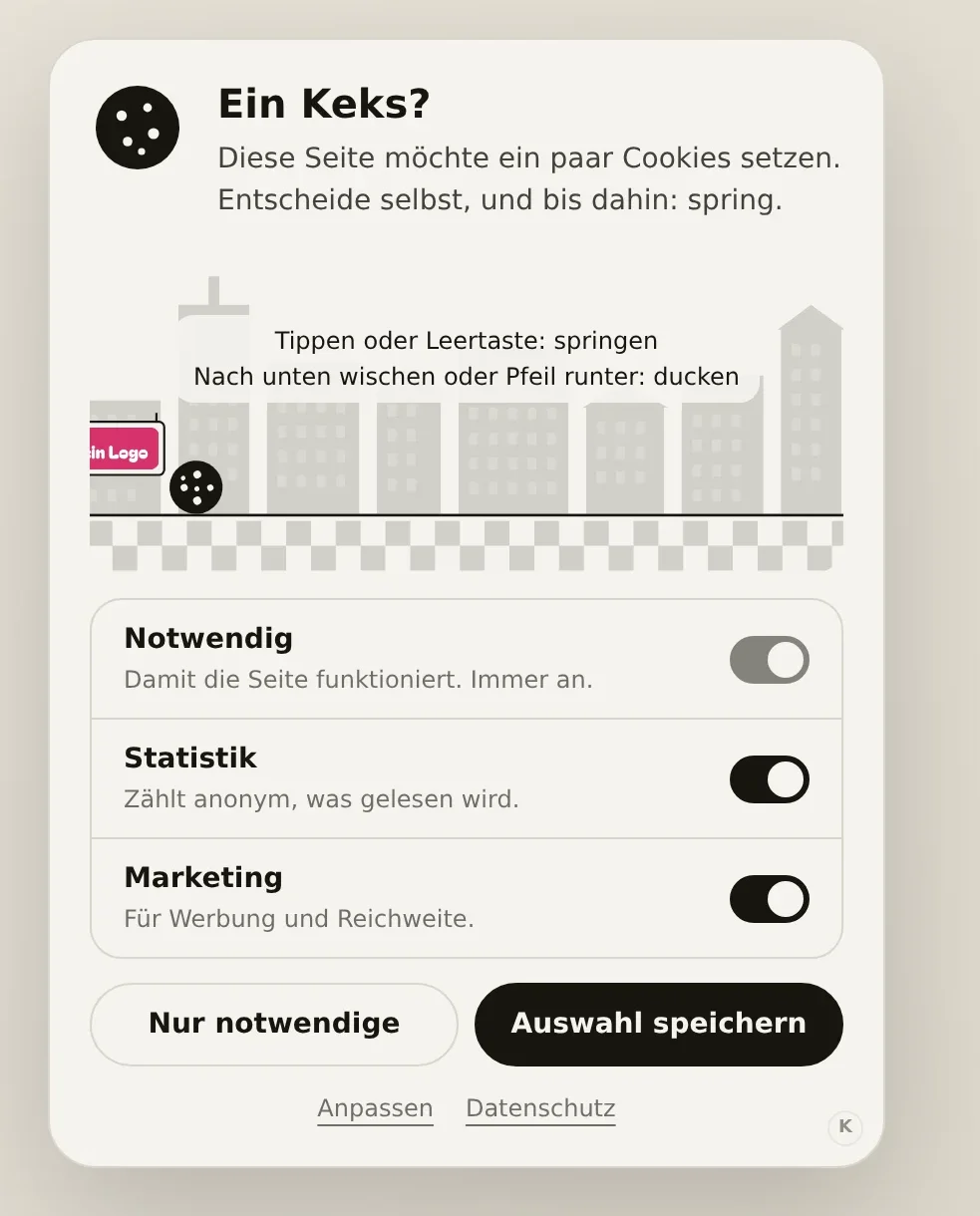
On my site a small card with a cookie appears in the bottom left. Below it the cookie rolls through a kitchen, and tapping makes it jump over glasses. Swipe down and it ducks under flying spoons. None of that has anything to do with cookies, but it turns ten annoyed seconds into ten good ones.
The decision itself also gets a small response: press "Allow all" and you see a bite being taken out of the cookie. Decline and you see it roll away. Both are fine, and that's exactly what you're meant to notice.
Now for your site too
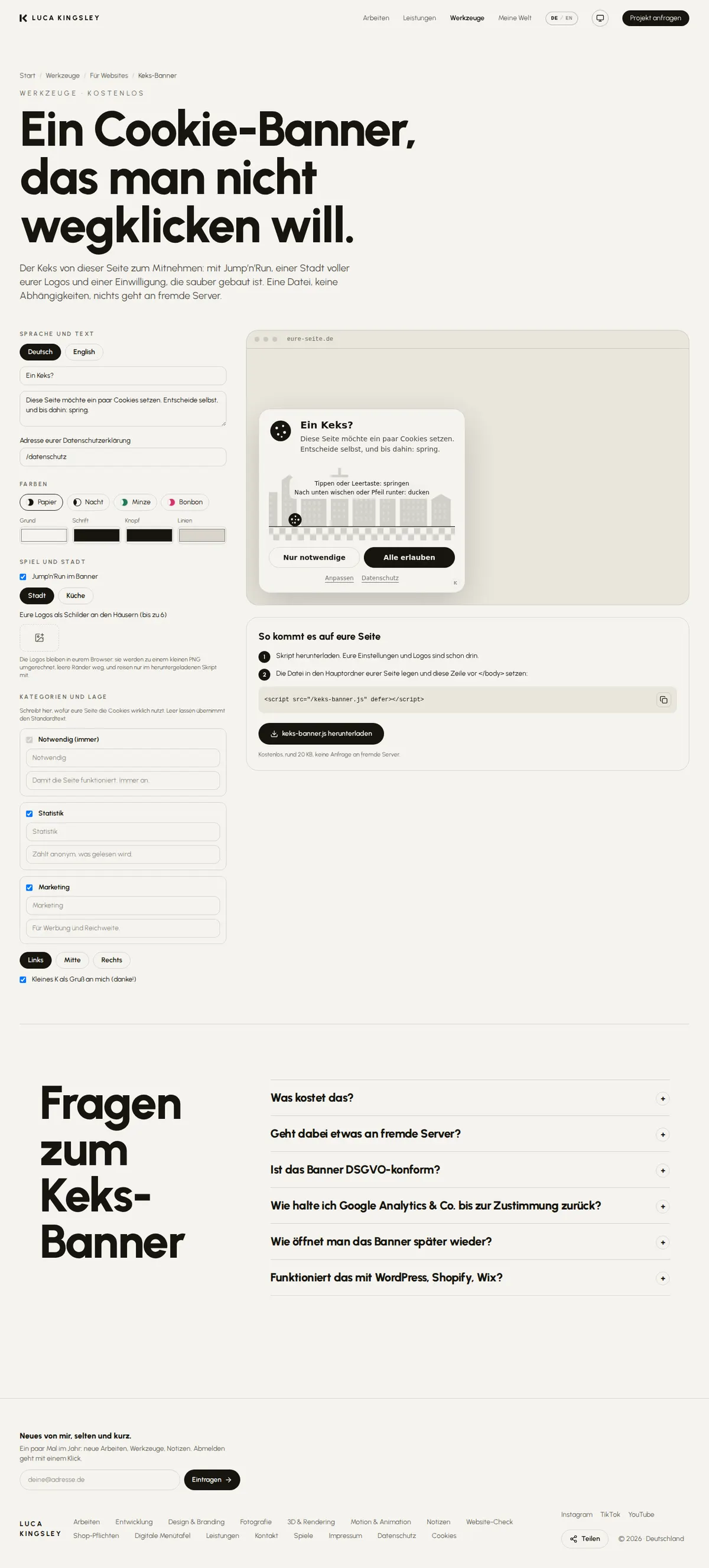
The cookie is now a tool of its own: the Keks-Banner (keks is German for cookie). It's free.
What's new is the town. Instead of the kitchen, a small row of houses can roll past, and some of the houses carry signs with your logos. Not every house, just now and then. That way it stands out when one comes by.
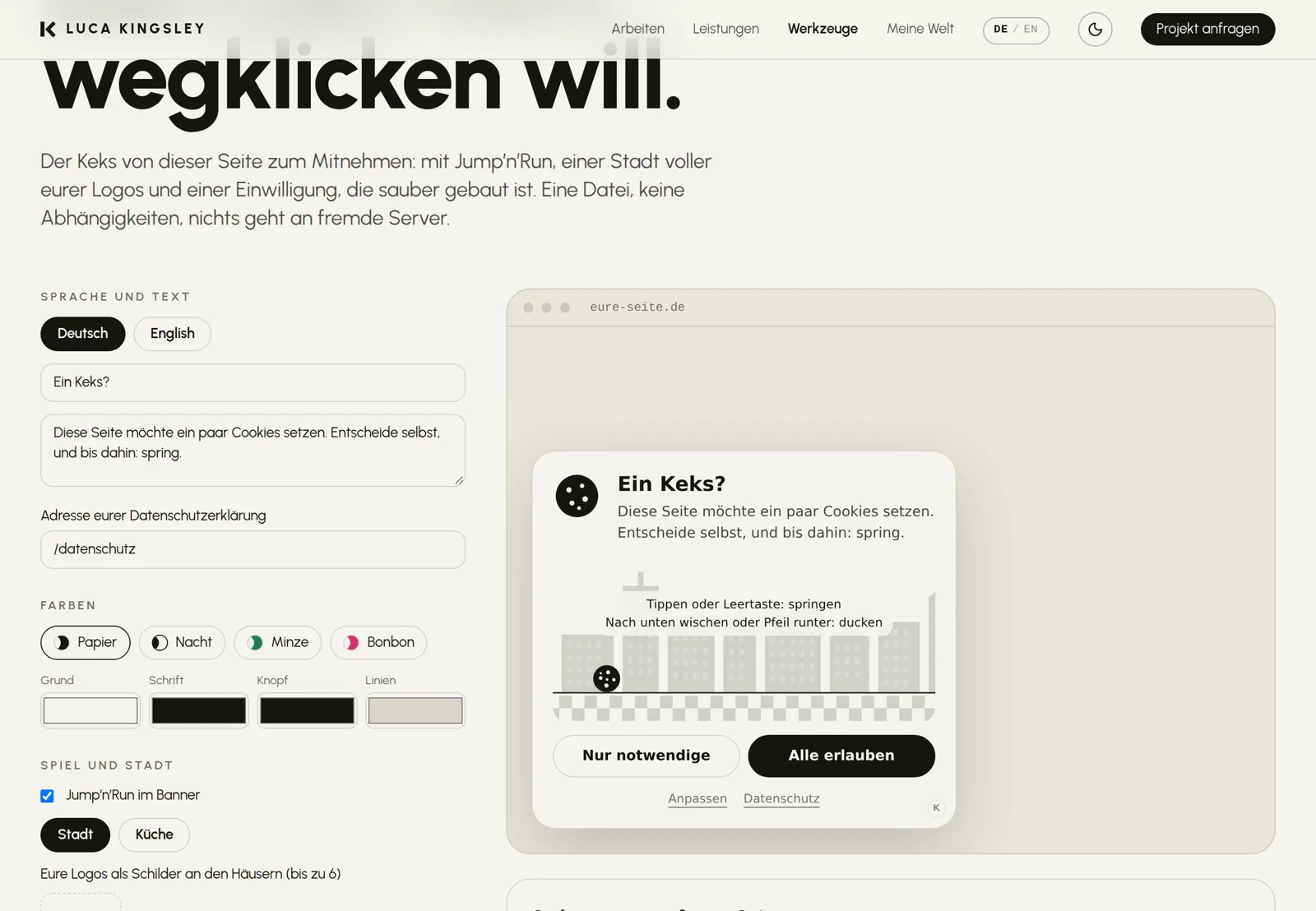
In the builder you set the text, colours and logos and see straight away how the cookie will look on your site. Then you download a single file.
What it gets right
A cookie banner isn't just decoration. It also has to ask properly. Here's what I made sure of:
- Nothing is ticked in advance. Until someone agrees, only the necessary cookies are used.
- "Allow all" and "Necessary only" are the same size. Nobody is pushed into saying yes.
- Under "Customise", every category can be switched on and off individually. You write what it says there yourselves, because only you know what your site uses cookies for.
- Google Analytics and other services only start once consent has been given. To do this, you add a small attribute to their embed code; the Keks-Banner handles the rest.
This isn't legal advice. Which cookies your site sets and what your privacy policy has to say is still up to you. But the craftsmanship is right.
Why as a download
Many cookie services load their notice from someone else's server. That means a visitor's address is passed to a third party before they've even been asked. For a tool whose job is to ask for permission, I find that odd.
So the Keks-Banner sits on your own server. It doesn't request anything from anywhere and sends no data, not even to me. Your logos are built right into the file.
How to add it to your site
1. Set the text, colours and logos in the builder.
2. Download the file and put it in the main folder of your site.
3. Add one line of code before the end of the page. Done.
This works anywhere you can upload a file and paste a line of code, including WordPress and Shopify.
In the bottom right of the card sits a small K that links to me. I'm happy about that. If you'd rather not have it, switch it off in the builder.