One tap pastes
What you copied sits in a row above the keys.

Copy many. Paste in order.
An iPhone keyboard that remembers everything you copy and pastes it back in order. Free, no account.
Free on TestFlight, the App Store version follows.
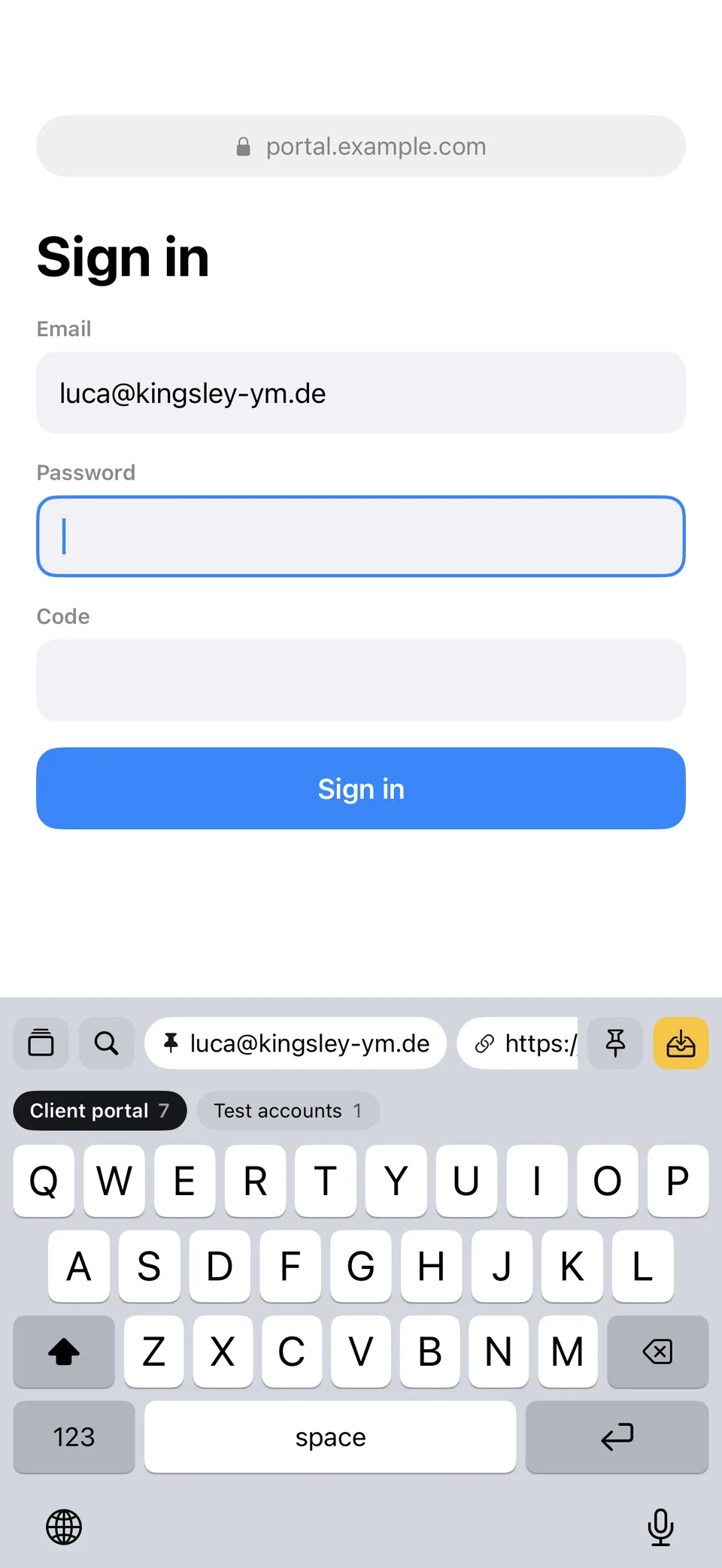
Your iPhone remembers exactly one thing. Crown&Paste remembers everything and hands it back in the right order.
Tap the entries in order.
Password
Code
Entries in the keyboard
A full keyboard. You type and paste without switching.
What you copied sits in a row above the keys.
Pasted entries are ticked off, not deleted, and slide down. The next one is ready.
One stack per project. Switch right in the keyboard.
Small tools for the things that always get in the way when copying.
“User, password, URL” in one block becomes three entries in the right order.
Tails like ?utm_source are removed. The link still leads to the same page.
Crown&Paste recognizes API keys and tokens by itself and only shows them masked.
Finds any entry, ignoring accents and word order.
iOS doesn’t tell any app when you copy. So saving works everywhere with one press, also by Shortcut and Siri.
Home Screen or Lock Screen shows what comes next.
A button that saves the clipboard right away.
For anything you can’t copy.
One press, saved.
No server, no account, no tracking. Anything a password manager marks as concealed is never saved.
Free. No account. No ads.
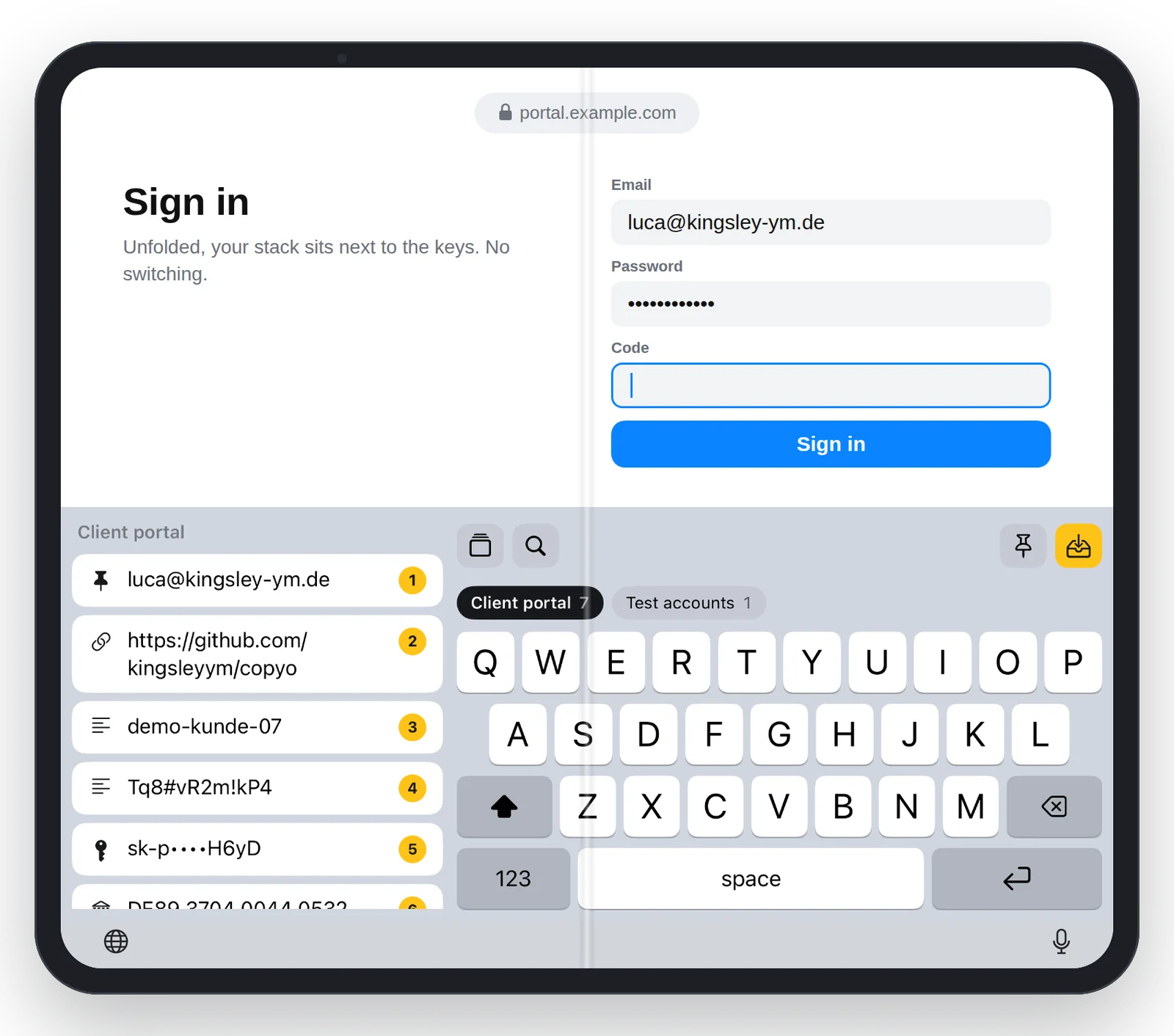
On the unfolded iPhone Duo your stack sits on the left and the keys on the right.
“I often work on my phone late at night, between logins, links and codes that I keep copying back and forth. Crown&Paste is the keyboard I wanted for that.”
Crown&Paste is my first tool for the iPhone. The others in the series are add-ons for Blender.
iOS only shows this setting after it has asked once. So copy something in another app, open Crown&Paste and tap “Allow Paste” once. After that, Settings › Apps › Crown&Paste has the option “Paste from Other Apps”, which you set to Allow.
Only so it may read your saved entries and save what you copy. iOS shows the same general warning for every keyboard with full access. Crown&Paste has no server and sends nothing to the internet.
Anything a password manager marks as concealed is never saved. Everything else stays on your iPhone. API keys and tokens are only shown masked.
iOS doesn’t tell any app when you copy something. While the keyboard is on screen, Crown&Paste saves new copies by itself. Otherwise one press in Control Center, on the Action button or in the Share menu does it.
No, Crown&Paste is built for the iPhone, including the unfolded iPhone Duo.
Nothing. The app is free, with no account and no ads. It is in testing on TestFlight right now; if you want to join, write to hallo@kingsley-ym.de.
Crown&Paste is free and runs on the iPhone.
Free on TestFlight, the App Store version follows.